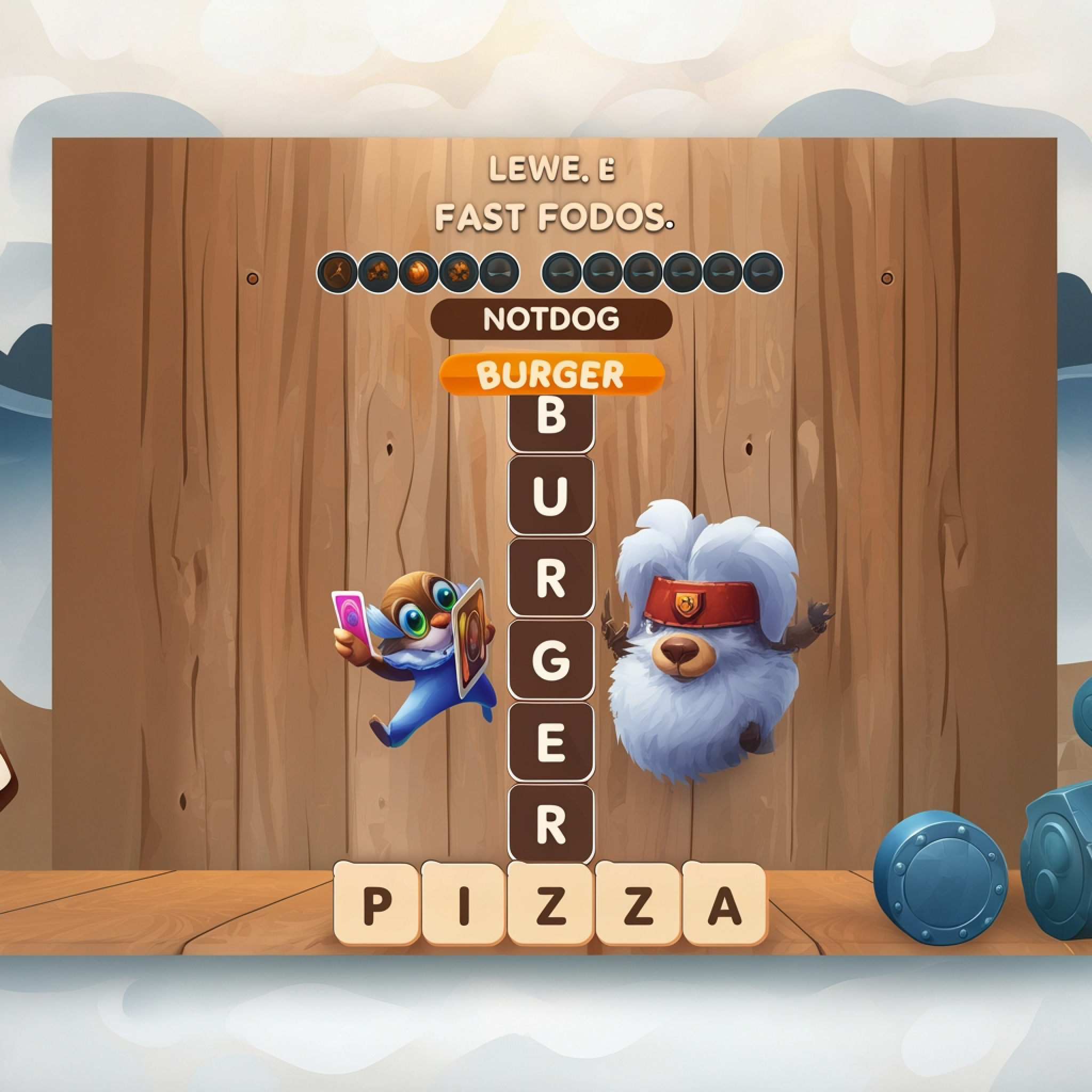
Word Finder
Word Finder
About this game — overview & description
Word Finder is a captivating and dynamic word search puzzle that redefines the classic genre, offering an ever-evolving challenge for players of all ages. In this unique word puzzle experience, you are tasked with forming words from a grid of letter tiles, but with an exciting twist: the board constantly shifts and regenerates after every successful submission. This innovative mechanic creates new combinations and fresh challenges with each move, ensuring no two games of Word Finder are ever exactly alike. Test your vocabulary, sharpen your foresight, and adapt quickly to the changing layout in this highly engaging and refreshingly unpredictable brain teaser. You can play Word Finder and hundreds of other free HTML5 browser games right here on Deployment Game, enjoying endless linguistic fun without any downloads.
What is Word Finder? – Complete Game Overview
Word Finder is an inventive word puzzle game where players identify and select words hidden within a grid of letter tiles. Unlike traditional static word searches, the game board in Word Finder is alive and dynamic, transforming with each word you successfully find and clear. This constant evolution demands both quick thinking and strategic planning, as new letters and potential words emerge from the shifting layout. It’s an ideal game for anyone looking to boost their vocabulary, improve pattern recognition, or simply enjoy a relaxing yet stimulating mental exercise.
The core objective of the Word Finder game is straightforward: find as many words as possible within a set time or before the board becomes too challenging. Words can be formed by connecting adjacent letter tiles horizontally, vertically, or diagonally. The longer and more complex the words you discover, the higher your score will be, adding an element of competitive achievement. Its intuitive design makes it easy to pick up, while its depth ensures long-term engagement, making it a standout title in the realm of casual word games.
How to Play Word Finder – Step-by-Step Guide
Getting Started with Word Finder
To begin playing Word Finder, simply navigate to its page on deployment-game.com. The game loads directly in your browser, requiring no downloads or installations, so you can jump straight into the action. Upon launching, you’ll be presented with a grid filled with various letter tiles, ready for your linguistic prowess. The interface is clean and user-friendly, ensuring a seamless entry for new players eager to engage with the dynamic puzzles of Word Finder.
Before your first session of the Word Finder game, take a moment to
Controls & how to play (HTML5)
Use mouse, keyboard, or touch—this deployment-game.com title shows its own on-screen prompts and hints.






Loading comments from deployment-game.com…